
Complete Training From Anywhere
Complete eligible training remotely through Live Online Proctoring (LOP) with a live HASC proctor. Identity verification, session monitoring, best-evidence recordkeeping, and automatic integration with LINK® maintain training integrity while reducing travel and downtime.

Remote Access Without Compromising Integrity
LOP combines the convenience of remote training with the accountability employers expect from HASC. Participants complete courses online while a trained HASC employee verifies identity, proctors the session, and provides real-time assistance throughout the training.
Employees gain greater flexibility without separating remote training from established recordkeeping, verification, and documentation processes.

How Live Online Proctoring Works
Complete remote training in five simple steps. From registration to record retention, the process is managed via LINK®.
Need technical support? Call our LOP team at (888) 955-SAFE, ext. 129, or email customerservice@hasc.com.
SCHEDULE IN LINK
Register for an eligible Live Online Proctoring course through LINK.
VERIFY IDENTITY
Provide identification and complete the verification process before training begins.
SYSTEM CHECK
Confirm system requirements and test your camera, microphone, speakers, and connection.
COMPLETE TRAINING
Connect with your proctor and complete your training with live oversight and assistance.
ACCESS RECORDS
View training records and digital credentials through LINK and LINKmobile upon completion.
Integrity Built Into Every Session
Live Online Proctoring combines remote access with identity verification, live oversight, and secure recordkeeping.
Live HASC Proctors
Every session is proctored by a trained HASC employee who verifies participant identity, maintains session requirements, and offers live assistance during training.

Best-Evidence Recordkeeping
The participant’s photo and identification are captured as part of the session record, creating additional documentation tied to the individual who completed the training.

Records and Subpoena Support
HASC maintains legally defensible training records and supporting documentation, with subpoena support available through our Client Experience team at customerservice@hasc.com.

Connected Training Records
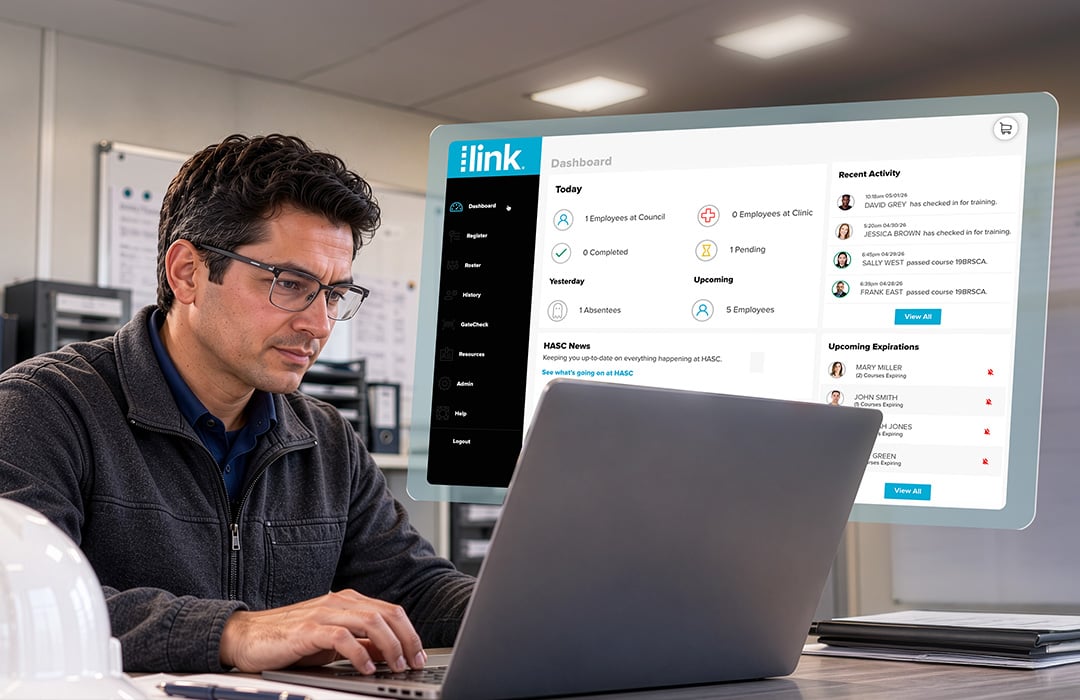
Completed training records are automatically stored and available to authorized users through LINK. Eligible digital badges can also be accessed through LINKmobile.
Built Around Real Workforce Needs
LOP gives employers a more flexible way to prepare their workforce while making required training easier for employees to access. Employees can complete eligible training remotely without traveling to a training center.
For Employers
Less Travel
Reduce travel requirements by allowing employees to complete eligible training remotely.
Maintain Integrity
Live proctoring, identity verification, and session documentation to maintain training confidence.

Greater Access
Prepare more employees for projects with remote training and flexible scheduling, including weekend hours.

Record Availability
Automatically add training records to LINK alongside other workforce records.
For Employees

Train Remotely
Complete courses from a quiet, well-lit location using a compatible device and reliable internet connection.

Live Assistance
Connect with a HASC proctor who provides guidance and support throughout the session.

Flexible Scheduling
Choose from training hours available seven days a week to accommodate work schedules and project demands.

Digital Credentials
View digital badges in LINKmobile after successful course completion. Download from your device’s app store.
TRAIN ON YOUR SCHEDULE
LOP is available seven days a week, giving employees the flexibility to complete eligible training around work schedules, project timelines, and mobilization needs.
| Days | Hours |
| Monday - Friday | 6:00 AM - 6:00 PM CT |
| Saturday | 8:00 AM - 4:30 PM CT |
| Sunday | 8:00 AM - 4:30 PM CT |
LOP is unavailable on observed holidays. Course availability may vary. Extended scheduling may be arranged in advance for larger training needs and project-based training.

Every LOP session is proctored live by a HASC employee. It is not an automated or self-proctored training experience.
Live Online Proctoring FAQs
What is Live Online Proctoring?
Live Online Proctoring (LOP) allows employees to complete eligible HASC training remotely with a live HASC proctor. The proctor verifies identity, monitors the session, and provides assistance throughout training.
How do I register for Live Online Proctoring?
Register for eligible Live Online Proctoring (LOP) courses through LINK®. LINK® is used to register for training, while LOP is used to launch and complete your course.
What do I need for Live Online Proctoring?
You need a compatible computer, tablet, or smartphone with a working camera and microphone, reliable internet connection, and a quiet, well-lit location. Have a government-issued photo ID ready and use Google Chrome or Microsoft Edge.
Before training, complete the Equipment Setup check to test your camera, microphone, speakers, and internet connection.
What are the rules for Live Online Proctoring?
Trainees must follow HASC training requirements throughout the session. Keep your workspace clear, do not use unauthorized materials or additional devices, and remain visible on camera.
The existing trainee requirements also prohibit receiving assistance with course content, using other electronic devices, leaving the camera view without notifying the proctor, and using a device without a functioning camera or microphone.
Where can I complete LOP training?
You can complete LOP training in a quiet, well-lit location with a reliable internet connection and minimal distractions. Examples include a home, hotel, library, or another location that meets the training requirements.
Can I take LOP training in a vehicle?
Can I take LOP training in heavy equipment or machinery?
What happens if I get disconnected or need to leave my course?
Can I take breaks or notes during LOP training?
Are all HASC courses available through Live Online Proctoring?
Where are completed training records stored?
Completed training records are automatically stored in the HASC database and available to authorized users through LINK. Eligible digital badges can be viewed through LINKmobile.
How does HASC verify who completed the training?
HASC verifies participant identity through the live proctoring process and captures identification and participant photos as part of the best-evidence recordkeeping process.
What does subpoena support mean?
HASC can provide supporting training documentation when records are formally requested through a subpoena. LOP’s best-evidence recordkeeping includes identity verification and session documentation tied to the individual who completed the training.
Is LOP available every day?
Yes. LOP is available seven days a week, excluding observed holidays. Weekday and weekend hours vary.
Can HASC accommodate extended LOP hours?
Yes. Extended hours may be arranged in advance for member companies with larger training needs, including turnarounds and other major options. Contact customerservice@hasc.com to discuss scheduling options.
Complete Required Training Without the Added Travel
Prepare employees for upcoming projects, assignments, and site requirements with flexible remote access to eligible HASC training.